Digital Tools & Software
When Is Automation Worth It? A Freelancer’s 30-Day Break-Even Test
When Is Automation Worth It? A Freelancer’s 30-Day Break-Even Test

☰ Table of Contents
Freelancers are told that automation saves time, but a new tool can quietly add setup, troubleshooting and another subscription. This practical automation break-even test helps you decide whether a workflow is worth keeping, using the real minutes it saves rather than a vendor’s promised productivity gains.
The aim is not to automate everything. It is to identify one repetitive task, measure its full cost, and run a 30-day pilot that can tell you whether a freelancer automation tool actually earns its place in your stack.
The hidden cost is not the subscription
Automation tools are often marketed as time-savers, but a freelancer’s real cost is broader than the monthly plan. Setup, testing, fixing edge cases and checking failed runs all take time. The useful question is not “Can this be automated?” It is “Will this particular automation return more value than it consumes over a normal month?”
Use a break-even test, not a feature checklist
Estimate the minutes the task takes now, how many times it happens each month, and the realistic portion automation can remove. Then subtract maintenance time. Multiply the net hours by your own working value per hour. Compare that monthly value with the tool price and any setup cost spread across the period you expect to use it.
| Measure | What to count | Example (estimate) |
|---|---|---|
| Current handling time | Minutes per task × monthly frequency | 8 min × 40 = 320 min |
| Net time saved | Time removed minus checking and maintenance | 320 − 80 = 240 min |
| Monthly value | Net hours × your chosen hourly value | 4 hours × $35 = $140 |
| Tool cost | Subscription plus setup cost allocated monthly | $18 + $20 = $38 |
| Estimated net benefit | Monthly value − tool cost | $140 − $38 = $102 |
Keep the estimate honest: time saved is not automatically billable revenue. Use an hourly value that reflects what you could realistically do with the recovered time, not your highest client rate by default.
A simple worksheet for the decision
Use conservative estimates. If the task varies, track it for two weeks before deciding. Count only work genuinely avoided: a notification that still needs a human review is not a fully saved task.
| Task | Baseline to record | Useful guardrail |
|---|---|---|
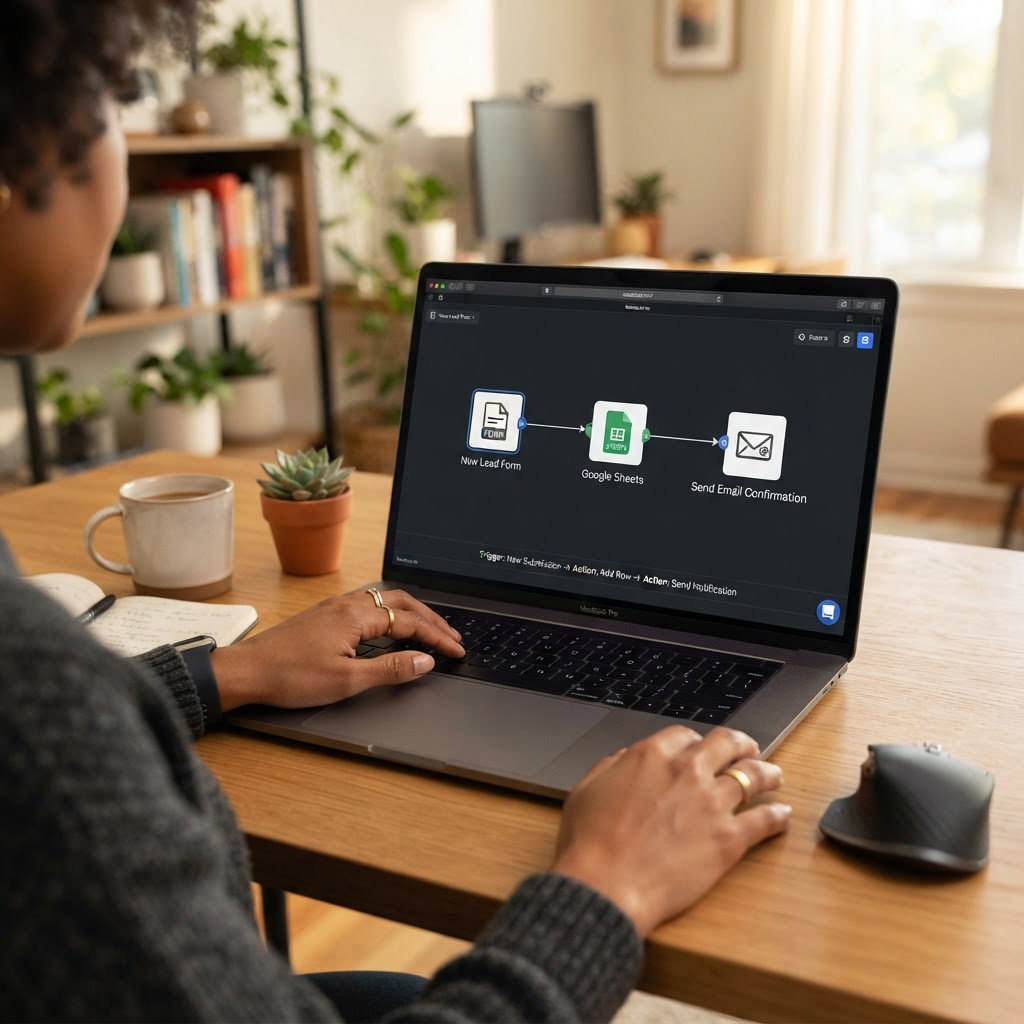
| Lead form to client tracker | Time to copy details, create a record, notify yourself | Flag incomplete submissions; don’t auto-send a quote |
| Receipt or expense sorting | Minutes spent naming and filing each receipt | Keep uncertain categories for manual review |
| Project status reminders | Weekly time spent checking due dates and nudging | Draft reminders first; prevent duplicate notices |
| File delivery notification | Time spent checking folders and notifying the client | Confirm upload completion before sending anything |
Where automation pays off first
Good first candidates are repetitive, rules-based tasks with predictable inputs: moving a form submission into a tracker, creating a draft invoice reminder, or notifying you when a client uploads a file. Keep approvals and judgment calls with a person, especially where money, access, or client commitments are involved.

The failure budget people forget to include
A workflow that runs unattended can fail silently. Allow time for a weekly spot-check, occasional edits when a service changes, and a fallback for missing or duplicate data. For client-facing messages, use a draft-and-approve step until you have verified the workflow over several cycles.
- Log failures: note missed triggers, duplicates, and malformed records.
- Set an owner: decide who checks the run history and how often.
- Protect sensitive data: pass only the fields the automation needs, and check each service’s access and retention settings.
- Keep a manual fallback: document how to complete the task if the workflow is down.
A 30-day pilot that gives you a real answer
Pick one task and record its baseline for a week. Build the smallest workflow, then run it alongside the old process for a few days. Keep a log of successful runs, corrections and minutes spent maintaining it. At day 30, keep it only if the net time or error reduction is meaningful and the failure mode is manageable.
- Days 1–7: measure normal handling time and exceptions, without changing the process.
- Days 8–12: build the smallest version and test it with sample or low-risk records.
- Days 13–20: run it in parallel with the manual process; compare results and correct errors.
- Days 21–30: use the workflow with a review step, tally maintenance time, and calculate net value.
Choose the lightest tool that clears the bar
A built-in automation in the software you already pay for may beat a new platform. If a paid connector is needed, check task limits, execution history, data retention, cancellation, and whether the workflow breaks when a user changes roles. You can also review our freelancer SaaS subscription audit before adding another recurring bill.
The practical rule
Automate stable repetition, not uncertainty. If the workflow saves a small amount of time but creates a new monitoring job, it may be a convenience rather than a financial win. That can still be worth paying for, but name the benefit honestly and set a reminder to reassess after a month.
Frequently Asked Questions
How do I calculate whether an automation is worth the cost?
Estimate monthly time removed, subtract setup, checking and maintenance time, then value the net hours realistically. Compare that value with the subscription and any setup cost allocated over the period you expect to use it.
How long should I test a freelancer automation tool?
A 30-day pilot is a useful starting point because it captures normal usage and a few exceptions. For infrequent tasks, keep the test running until you have observed enough real runs to judge reliability.
Should I automate client emails completely?
Not at first. Use an approval step for client-facing messages, especially quotes, deadlines, payment reminders, or anything that makes a commitment. Remove that review only after careful testing and clear rules.
What is the best task to automate first?
Choose a repetitive, rules-based task with predictable inputs and a low cost of failure, such as copying a complete form submission into a project tracker.
Can free automation tools still have a cost?
Yes. Limits, setup time, maintenance, data access and the risk of missed runs all count, even when the subscription price is zero.
When should I turn an automation off?
Pause it if it sends duplicates, mishandles sensitive data, fails without alerts, or takes more time to maintain than the value it returns. Preserve a manual process while you investigate.